
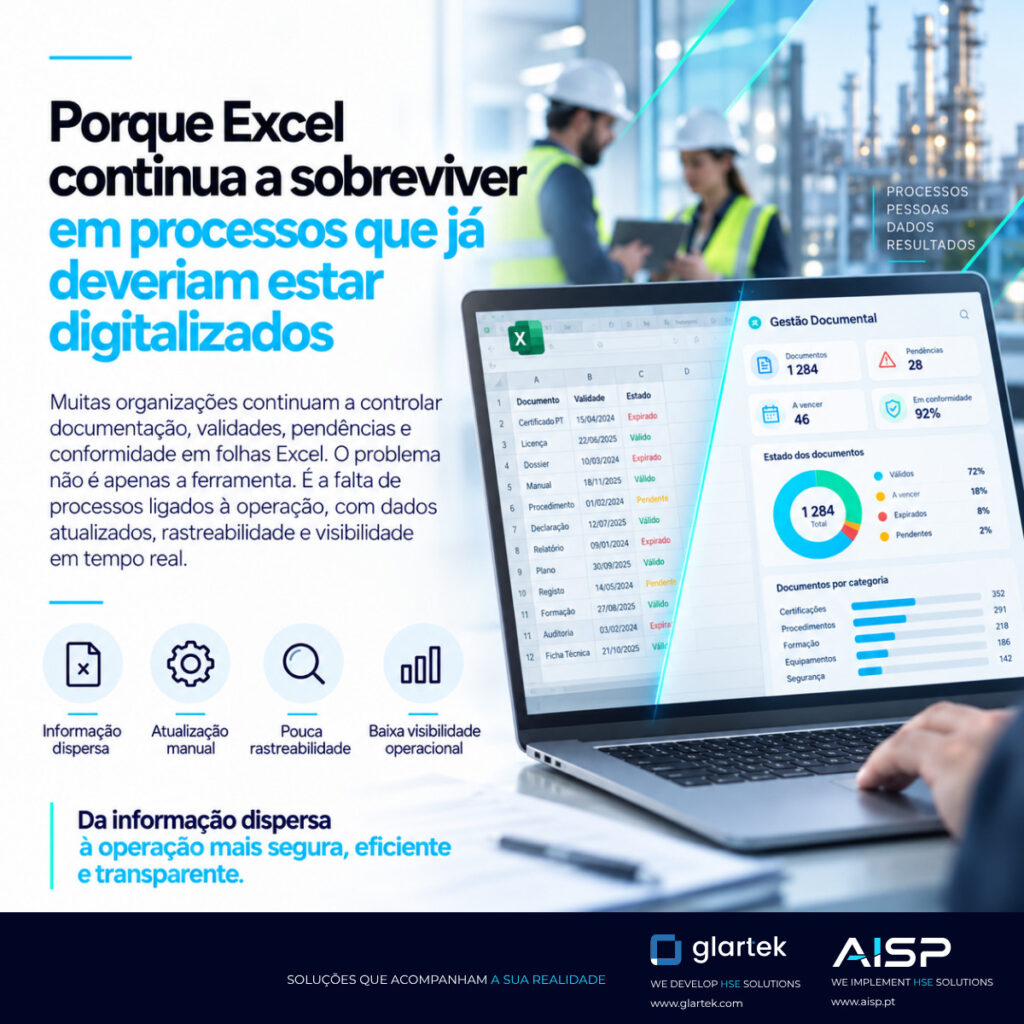
Excel still plays a central role in countless business processes.
For example, teams use it to control suppliers, track documentation and manage workers. They also use it to register equipment, monitor expiry dates, prepare reports, follow up actions, manage requirements and organise operational information.
However, in many cases, specialised platforms should already support these processes.
Even so, the spreadsheet is still there.
In fact, the explanation does not necessarily lie in resistance to digital transformation.
Quite the opposite.
Often, Excel survives precisely because it offers something that many business platforms still struggle to provide: speed of adaptation.
A new need arises today, and the team can add a column today.
Similarly, a client asks for a new field, and someone can create it in a few minutes.
A process needs reorganising, and the spreadsheet can change immediately.
Thus, this flexibility explains much of its longevity.
The problem appears when a tool designed to organise information starts to support critical operational processes.
From Excel spreadsheet to informal process system
An Excel file rarely starts out complex.
It may begin simply as a table to track twenty workers, ten suppliers or a few expiry dates.
However, as the process grows, new needs start to emerge.
Someone adds columns.
Formulas appear.
Filters follow.
Colours start to represent statuses.
New tabs appear for different projects.
Then come the macros.
After that, several copies begin to circulate.
One person keeps a local version.
Another works on a version sent by email.
A third adds new fields.
And gradually, a spreadsheet turns into an informal management system.
As a result, the organisation comes to depend on that file for important decisions.
But the process still lacks several features you would expect from a real platform.
When flexibility starts to create risk
In fact, Excel’s purpose was never to manage complex processes with multiple users, levels of responsibility, workflows and business rules.
When teams use it in these contexts, limitations such as these can arise:
- difficulty controlling versions;
- little traceability of changes;
- dependence on individual knowledge;
- formula errors;
- duplicate data;
- permissions that lack granularity;
- no workflows;
- alerts that depend on manual checks;
- difficult integration;
- little real-time visibility.
However, none of these limitations means that Excel is an unsuitable tool.
It simply means there is a difference between organising data and managing a process.
The problem is not Excel but the processes that depend on it
This distinction is important.
Therefore, the debate should not be “Excel versus platform”.
In fact, Excel remains extremely useful for analysis, calculations, simulation, data exploration and countless other scenarios.
The issue arises when a critical operational process depends solely on a spreadsheet.
For example, if an organisation uses Excel to control external workers’ documentation, it may need to know:
- which documents are mandatory;
- who submitted each piece of evidence;
- who validated it;
- when it expires;
- which project demands a specific requirement;
- whether the worker has authorisation;
- what changes have occurred;
- which documents are still pending.
So, from this point on, we are no longer dealing only with data.
We are dealing with rules, statuses, decisions and responsibilities.
Why teams go back to Excel in business processes
In addition, another important factor explains its survival.
Many business platforms are far too rigid.
In other words, they exist to represent one specific process.
They work well while that process remains stable.
But organisations are not static.
For example, clients change requirements.
Moreover, legislation changes.
New activities emerge.
New job roles appear.
Projects have different demands.
When every small change requires development, specialist configuration or vendor intervention, teams lose autonomy.
That is precisely when the spreadsheet reappears.
Because it solves the problem immediately.
Therefore, the real alternative to Excel cannot simply be a more powerful platform.
It has to preserve Excel’s main advantage:
the ability to adapt.
Digitising processes is not copying Excel onto a screen
Furthermore, another common mistake in digital transformation projects is to replicate digitally what already existed.
For example, an Excel file with twenty columns becomes a form with twenty fields.
But the process stays practically the same.
In other words, users still enter the same information manually.
The rules remain implicit.
Responsibilities still depend on external procedures.
As a result, the platform has only replaced the medium.
This is computerisation.
It is not necessarily process transformation.
That is why true digitalisation should ask:
- what information is really necessary;
- which fields the platform can fill in automatically;
- what rules you can configure;
- which decisions depend on context;
- what approvals are necessary;
- which alerts the platform can generate;
- and, finally, what information can feed other systems.
From table to process
We can represent the natural evolution like this:
Spreadsheet → data
But an operational platform needs to add:
Data + rules + statuses + responsibilities + automation + traceability
For example, imagine a document expiry date check.
In Excel, the date may sit in a cell, and a formula may show that the document is about to expire.
However, on a structured platform, that same information can:
- come automatically from the document itself;
- link to the right worker;
- trigger an alert;
- notify the contractor;
- create a renewal task;
- update the document status;
- appear on a dashboard;
- restrict an operational authorisation, where applicable.
In other words, the information is the same.
The process is completely different.
No-code as an answer to rigidity
Therefore, this is where configurable and no-code platforms become relevant.
An organisation should be able to adapt a significant part of its processes without constantly relying on development.
This can include:
- creating fields;
- changing forms;
- defining requirements;
- configuring statuses;
- creating workflows;
- setting up approvals;
- creating notifications;
- defining access profiles;
- adapting processes by project.
Thus, this capability brings the experience closer to what has always made Excel attractive: autonomy.
But it adds governance.
Flexibility with traceability
There is, however, a fundamental difference.
Indeed, in a business environment, flexibility cannot mean a lack of control.
If someone changes a rule on a platform, it should be possible to know:
- who changed it;
- when;
- what changed;
- which version existed before;
- which processes it affected.
In other words, autonomy needs to coexist with traceability.
This is precisely one of the main differences between a configurable platform and a spreadsheet used as a system.
A single platform for different realities
Another frequent reason for the growth of Excel files is the diversity of processes.
Each project creates its own table.
Likewise, each client creates its own template.
Each department introduces its own control.
Over time, therefore, the organisation accumulates dozens of different sources.
However, a configurable platform can allow the opposite:
keeping a centralised structure while applying different rules by project, client, job role, activity or risk.
In other words:
one platform, many processes.
Instead of:
one file for every problem.
Integration as a critical factor
Another spreadsheet limitation appears when information needs to flow.
For example, another system may need data that someone entered in Excel.
Then comes an export.
An import.
Another spreadsheet.
A new copy.
In this way, the cycle creates duplication and a risk of inconsistency.
With an integrated architecture, data can flow through APIs between document platforms, HSE systems, ERP, HR, access control or Business Intelligence tools.
As a result, information no longer sits in isolation.
It becomes part of the organisation’s digital ecosystem.
When is it time to take Excel out of business processes?
There is no universal rule.
But there are some clear signs.
When several people need to edit the same information.
When there are workflows.
Or when decisions need traceability.
When there are complex rules.
When the information determines whether an operation can go ahead.
Or when there are critical alerts.
When multiple versions start to circulate.
When the process depends too heavily on the person who created the file.
In these cases, we are probably no longer dealing with a simple spreadsheet.
In other words, we are dealing with a process that needs a platform.
The future is not less flexibility
Digital transformation should not force teams to choose between autonomy and control.
In fact, that is precisely the problem a new generation of platforms must solve.
Therefore, organisations need tools that can keep up with rapid change without compromising governance, security and traceability.
That combination can finally replace many of the parallel processes that still live in spreadsheets.
Because Excel does not survive out of habit alone.
It survives because it is adaptable.
So the best alternative will not be the one that removes that capability.
It will be the one that adds what is missing:
process, control, integration, security and traceability.
Read also: Automation in document management and The role of APIs in document management platforms.
To learn about European guidance on digital transformation, see the European Commission’s digital strategy.